A boldly reimagined touch-monitor experience, with natural and intuitive touch, great reliability and myriad connectivity options.
Natural and intuitive touch:
Multiple ports and cables:
Brilliant view with a natural touch
Work smart and keep your content at your fingertips with your DellTM touch monitor optimized for Windows 8.
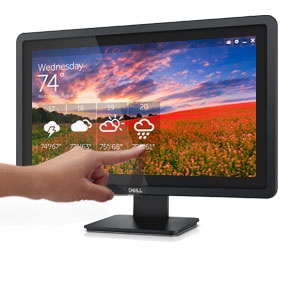
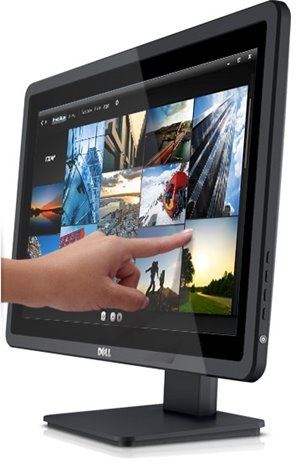
Enjoy an intuitive touch experience that enabling fast, efficient application and game control across the smooth touch screen.
See every little detail with the amazing clarity of clean, fluid motion from the exceptionally fast excellent picture quality, with deep blacks and bright whites, from an
Multiple ports and cables
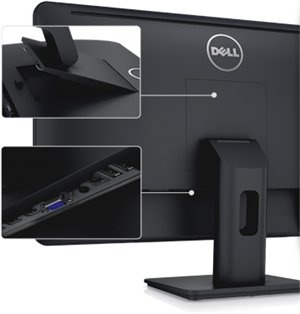
Transform your smartphone and tablet devices into HD brilliance while charging them at the same time through the when you display your smartphone/tablet content directly on the E2014T touch monitor. Plus, the integrated enable efficient connectivity to a whole range of peripheral devices.
Designed for comfort
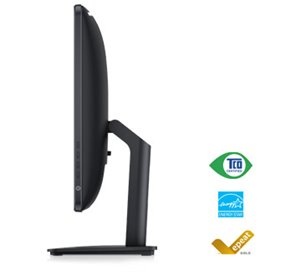
The adjustable stand for your E2014T allows 5° forward or 30° backward tilt to maximize your viewing comfort.
Great for home and office
The E2014T is an ideal monitor for to display information at the lobby or reception area in retail or public environments. For your family, it is an excellent choice for surfing the internet, watching movies or accessing educational touch applications with your Or connect your smartphone or tablet to the to create a larger view of your mobile apps while you charge your handheld device at the same time.
Energy-efficient design
With (typical) and less than , the E2014T can help keep energy costs down. In addition, the feature enables you to either dim the monitor to the minimum brightness level or put it into sleep mode when it is not in use.
What's in the box
1 x Monitor with stand
1 x Power cable
1 x HDMI cable
1 x USB 3.0 cable( enables touch screen function on the monitor)
1 x Screen cleaning cloth
1 x Velcro strap
1 x Quick start guide
1 x Drivers and documentation media
1 x Product and safety information guide
Warranty
1 Year Local Manufacturer Warranty
Highlights
1600x900 Resolution
5 Point Touch Capability
VGA, USB, Display Port, HDMI Connectivity
Multi-Touch
Energy Efficient Design
Product Description
An engaging touch experience.
A boldly reimagined touch-monitor experience, with natural and intuitive touch, great reliability and myriad connectivity options.
Natural and intuitive touch:
Multiple ports and cables:
Brilliant view with a natural touch
Work smart and keep your content at your fingertips with your DellTM touch monitor optimized for Windows 8.
Enjoy an intuitive touch experience that enabling fast, efficient application and game control across the smooth touch screen.
See every little detail with the amazing clarity of clean, fluid motion from the exceptionally fast excellent picture quality, with deep blacks and bright whites, from an
Multiple ports and cables
Transform your smartphone and tablet devices into HD brilliance while charging them at the same time through the when you display your smartphone/tablet content directly on the E2014T touch monitor. Plus, the integrated enable efficient connectivity to a whole range of peripheral devices.
Designed for comfort
The adjustable stand for your E2014T allows 5° forward or 30° backward tilt to maximize your viewing comfort.
Great for home and office
The E2014T is an ideal monitor for to display information at the lobby or reception area in retail or public environments. For your family, it is an excellent choice for surfing the internet, watching movies or accessing educational touch applications with your Or connect your smartphone or tablet to the to create a larger view of your mobile apps while you charge your handheld device at the same time.
Energy-efficient design
With (typical) and less than , the E2014T can help keep energy costs down. In addition, the feature enables you to either dim the monitor to the minimum brightness level or put it into sleep mode when it is not in use.
What's in the box
1 x Monitor with stand
1 x Power cable
1 x HDMI cable
1 x USB 3.0 cable( enables touch screen function on the monitor)